
VR has altered the way people play video games, learn skills, train personnel, and navigate virtual worlds. However, no VR headset, even the most advanced, is complete without a great VR controller.
Consider getting a virtual sword, race car, basketball, or training simulation and using it. Any of these experiences wouldn’t seem real without the responsive VR hand controllers.
The virtual reality market is still on a strong growth trajectory worldwide. With its adoption in gaming, healthcare, education, retail, and enterprise training expanding over the next few years, the VR market will soon be hundreds of billions of dollars, according to Grand View Research. VR controllers have become more accurate, more snug, and more immersive as the generation advances.
Whether you’re seeking a completely new VR controller, upgrading from an old pair to a brand-new one, or simply deciding which one to use with your VR system, this guide will have you covered.
What is a VR Controller?
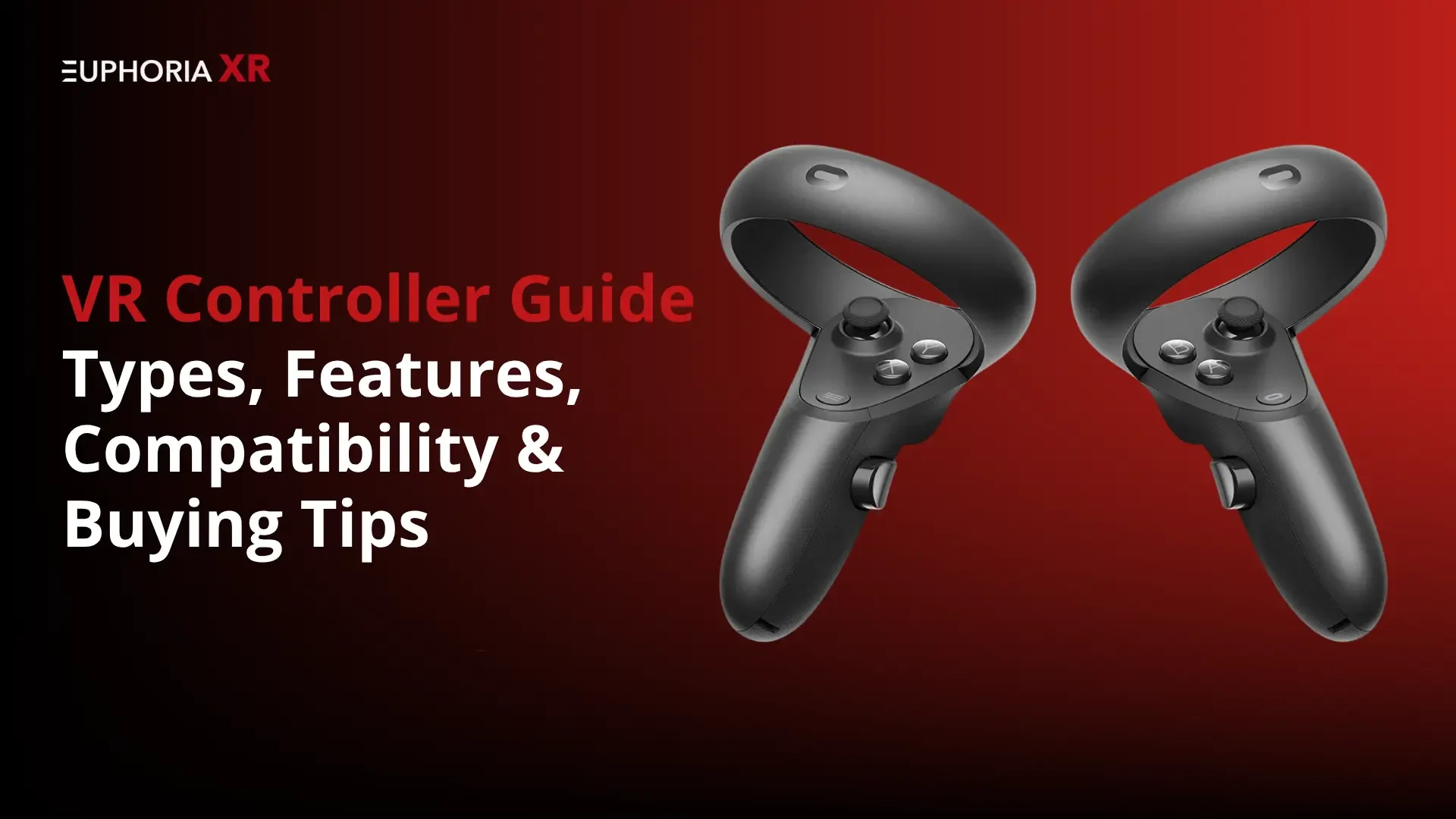
The VR controller is a hand-held device that lets you interact with VR worlds and environments by using shifting, the usage of buttons, haptic feedback and triggers, and thumbsticks. It is used by the user’s fingers in a virtual environment, allowing them to grab objects, navigate through menus, aim weapons, draw, and engage with virtual content.
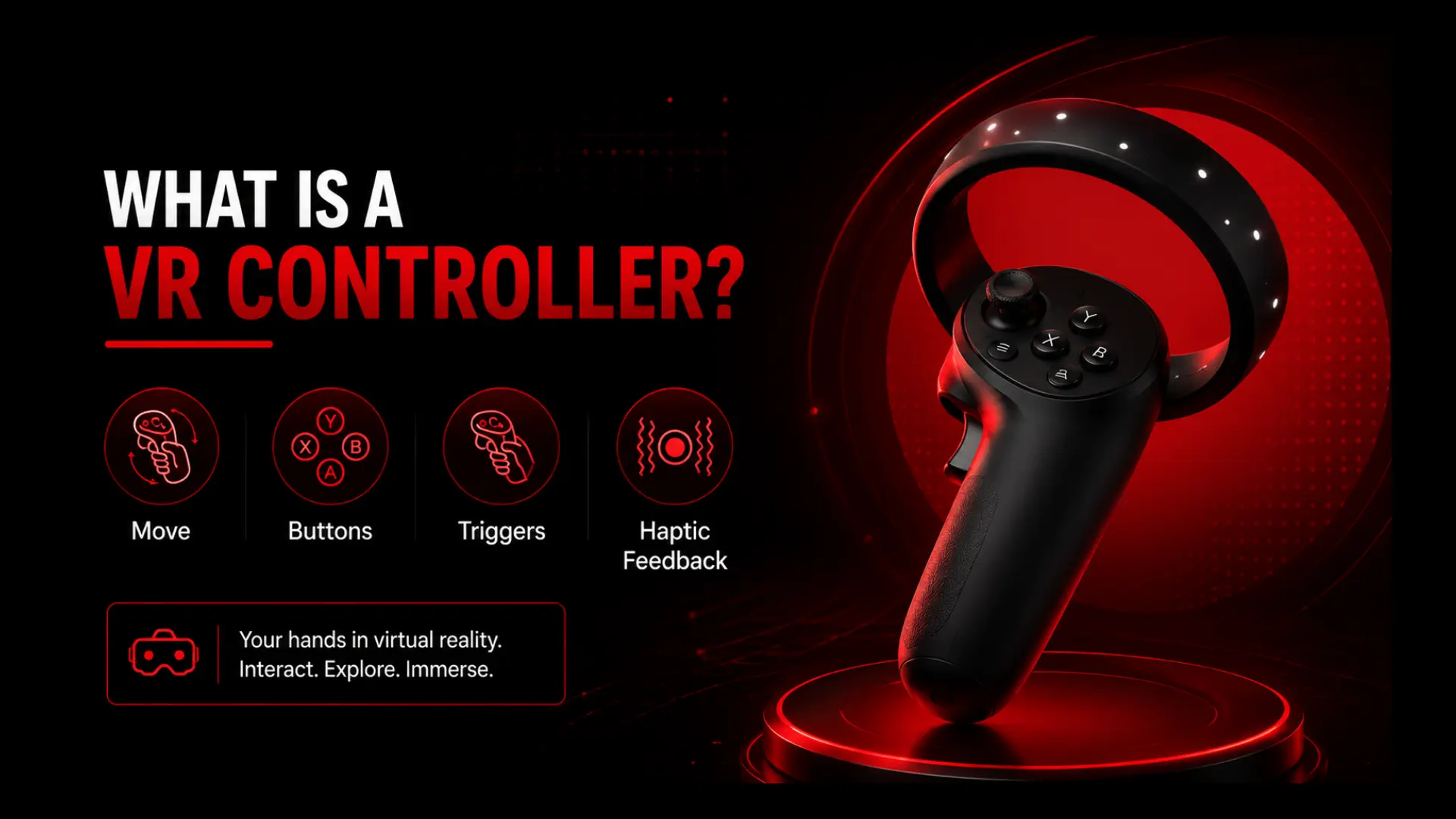
A VR controller is a physical device that can be used to control virtual environments, unlike traditional game controllers, which track movements contoured to the screen. This complements the sensation of presence and immersion.
How Do VR Controllers Work?
VR controllers either use sensors, cameras, Bluetooth, infrared monitoring, or external base stations to interact with a VR headset.
The controller sends its motion data to the VR device while the hands move the controller. The headset then ‘translates’ those movements into actions in the virtual environment.
For example:
Virtual hand moves up as the hand moves up.
Clicking a button: your virtual character shoots a gun.
Take an object, and the virtual object reacts accordingly.
This is an interactive, real-time experience that makes VR more immersive than regular games.
Components of a VR Controller
The majority of VR controllers feature:
Trigger buttons
Grip buttons
Thumbsticks
Menu buttons
Motion sensors
Tracking systems
Haptic feedback motors
These could be rechargeable or replaceable batteries.
Some premium controllers can also feature finger tracking, which will identify individual finger movements.
A longer battery life means that the video game will no longer be interrupted during gameplay, resulting in fewer interruptions.
Wireless Connectivity
Most of the contemporary VR controllers are wireless.
Benefits include:
More freedom of movement.
Less cable clutter
Improved comfort
The industry standard for wireless remote for VR setups is in place.
Finger Tracking
Realism is enhanced by finger tracking.
Users can interact and point/gesture more naturally with the objects.
This is becoming a crucial functionality in enterprise VR training and social VR.
Trigger Sensitivity
Precise control is possible with high-quality triggers.
This is particularly beneficial for:
First-person shooters
Racing simulators
Sports simulations
Professional training applications
Popular VR Controllers Compared
The key factors in selecting a VR controller include tracking accuracy, comfort, compatibility, battery life, and price range. Most recreation controllers these days work quite nicely, but some are more appropriate for gaming, simulation education, agency, or informal VR.
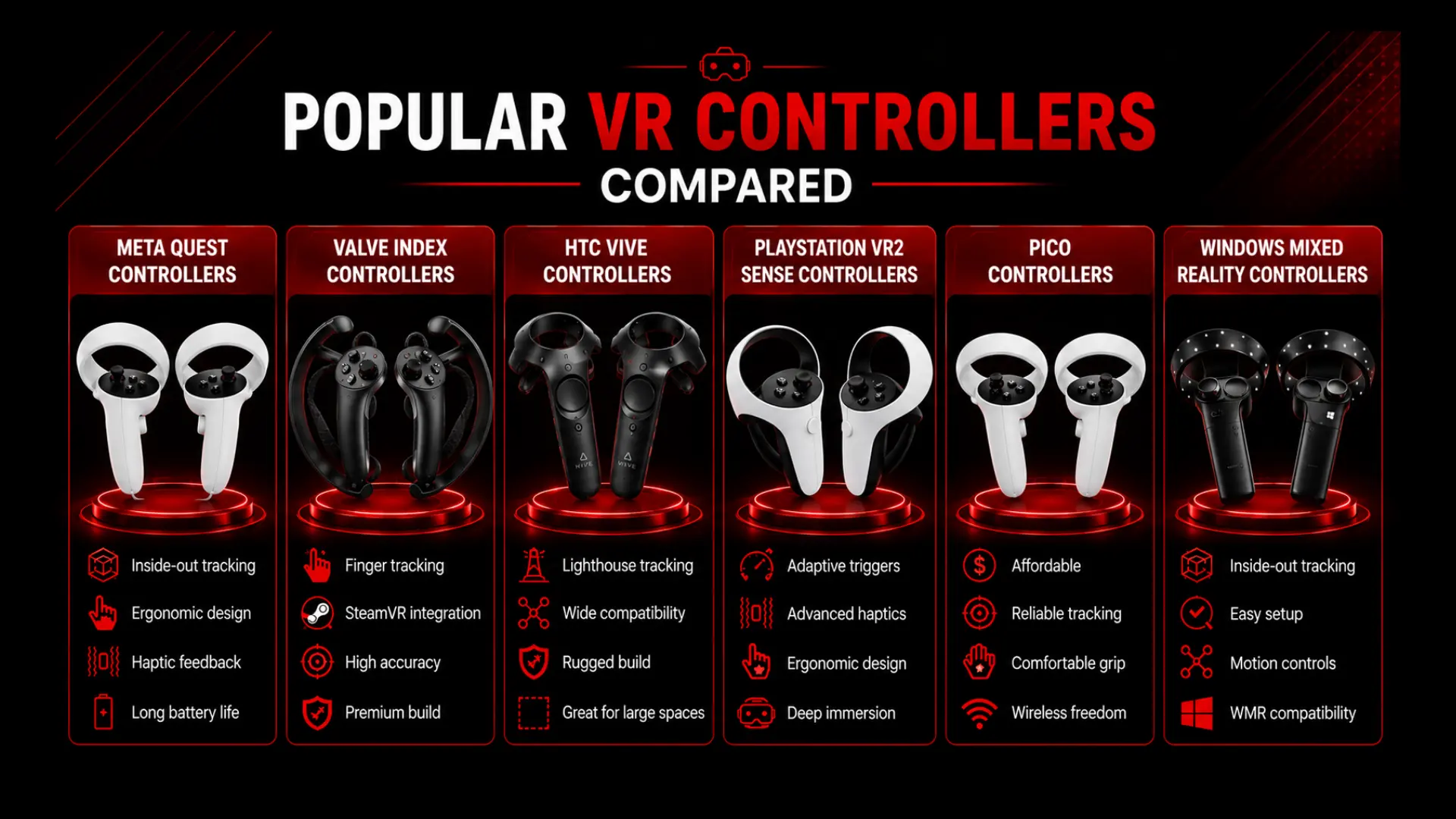
Meta Quest Controllers
The Meta Quest Touch Controller is one of the most famous VR Hand Controllers. They are tailor-made for the Meta Quest environment and are built with inside-out tracking technology for particular motion detection without the need for outside sensors. The controllers are ergonomic, have haptic feedback, responsive triggers, and long battery life. They are lightweight, which means that there’s no strain on the players during long gaming, fitness, and social VR sessions. They are designed to be compatible with the Meta VR platform, ensuring that they perform nicely and combine seamlessly with the headsets used for the Quest.
Valve Index Controllers
The Valve Index Controllers are widely known for their sleek and intuitive design and their sturdy tracking and interaction capabilities. They provide individual finger tracking for a more realistic grip, pointing, and gesture input, as opposed to a traditional VR controller. These have a lot of popularity with PC VR enthusiasts and simulation users, thanks to their SteamVR integration. Their combination of accuracy, high-quality build, and immersive interaction makes them among the most advanced consumer VR controllers to date.
HTC Vive Controllers
The HTC Vive Controllers are still popular in the SteamVR world. They use Lighthouse tracking, which allows for very accurate positioning in large play areas. Their rugged build has made them popular for commercial training, industrial training, and location-based VR experiences. While the newer controllers have more sophisticated interaction capabilities, the HTC Vive Controllers still deliver solid performance and wide compatibility.
PlayStation VR Controllers
The PlayStation VR2 Sense Controllers are tailored for the PlayStation VR console. They feature adaptive triggers, advanced haptic feedback, and ergonomic controls, all of which contribute to boosting immersion during gameplay. The widespread use of PlayStation hardware on the platform allows developers to deliver more responsive interactions, making those controllers in particular appropriate for movement, adventure, and simulation video games on the PlayStation platform.
PICO Controllers
PICO Controllers are dedicated to providing the balance of affordability and functionality. While being less expensive than some of the higher-quality wireless ones, they still offer reliable tracking, comfortable ergonomics, and wireless functionality. The ease of access has helped them become more popular, particularly with educational institutions and businesses that are seeking to become a part of virtual reality at an affordable price point, and first-time VR users who wish to dive into virtual tech without the high price tags.
Windows Mixed Reality Controllers
The Windows Mixed Reality Controllers came for the Microsoft WMR platform, and still work with many compatible Windows VR experiences. They include inner-out tracking, movement controls, and clean setup. The Windows Mixed Reality ecosystem isn’t always developing as fast as other platforms, but for individuals who are already using the platform, these controllers are nonetheless essential for those who want to get a few new hardware or keep with their modern-day setups.
How Much Do VR Controllers Cost?
VR controllers generally range from $50 to $400+ depending on the logo, tracking gadget, extras, and features. The basic VR remotes are extra low-cost, and the superior VR hand controllers with finger tracking and haptics are greater high priced.
Budget VR Controllers
The typical price of budget VR controllers is $50 to $100. They are good for simple VR usage, casual games, and simple replacement.
Mid-Range VR Controllers
The mid-range VR controllers are commonly $100 to $200. They provide accelerated tracking, better comfort, and advanced platform support.
Premium VR Controllers
The price of premium VR controllers typically ranges from $200 to $400+. These tend to have advanced tracking, superior haptic feedback, finger tracking, and improved build quality.
Replacement Controller Pricing
Each controller is in the $75 to $100 price range, with the HTC Vive Controller and PICO Controller on the low end and the controller from Meta added at the higher end.
How Much Is a VR Headset With Controllers?
VR headsets and controllers range in fee from $299 to $999+. Standalone headsets generally come with lower fees while better-priced PC VR systems include more sophisticated monitoring gear.
Meta Quest Pricing
The price of a Meta Quest package deal usually ranges from $299 to $499, depending on the version and storage capacity.
Valve Index Pricing
Typically, the entire Valve Index package deal is for $999 and consists of the controller, the headset, and the bottom stations.
HTC Vive Pricing
The typical price of an HTC Vive system is $700 to $1300+ based on the tracking hardware and the headset.
PS VR2 Pricing
The regular PS VR2 rate is $549 and covers the headset and Sense controllers.
Budget VR Bundles
Typically, budget VR systems begin at about $299. The most popular models are called “Meta Quest” as they come with the headset, controllers, tracking, and processing.
Best VR Controllers for Different Use Cases
The perfect VR controller might be the one that fits with every kind of headset usage. Tracking accuracy, comfort, and interaction capabilities are all crucial for specific programs like gaming, simulations, expert training, and informal stories. Depending on the use case, deciding on the proper controller for the activity guarantees optimal overall performance and user experience.
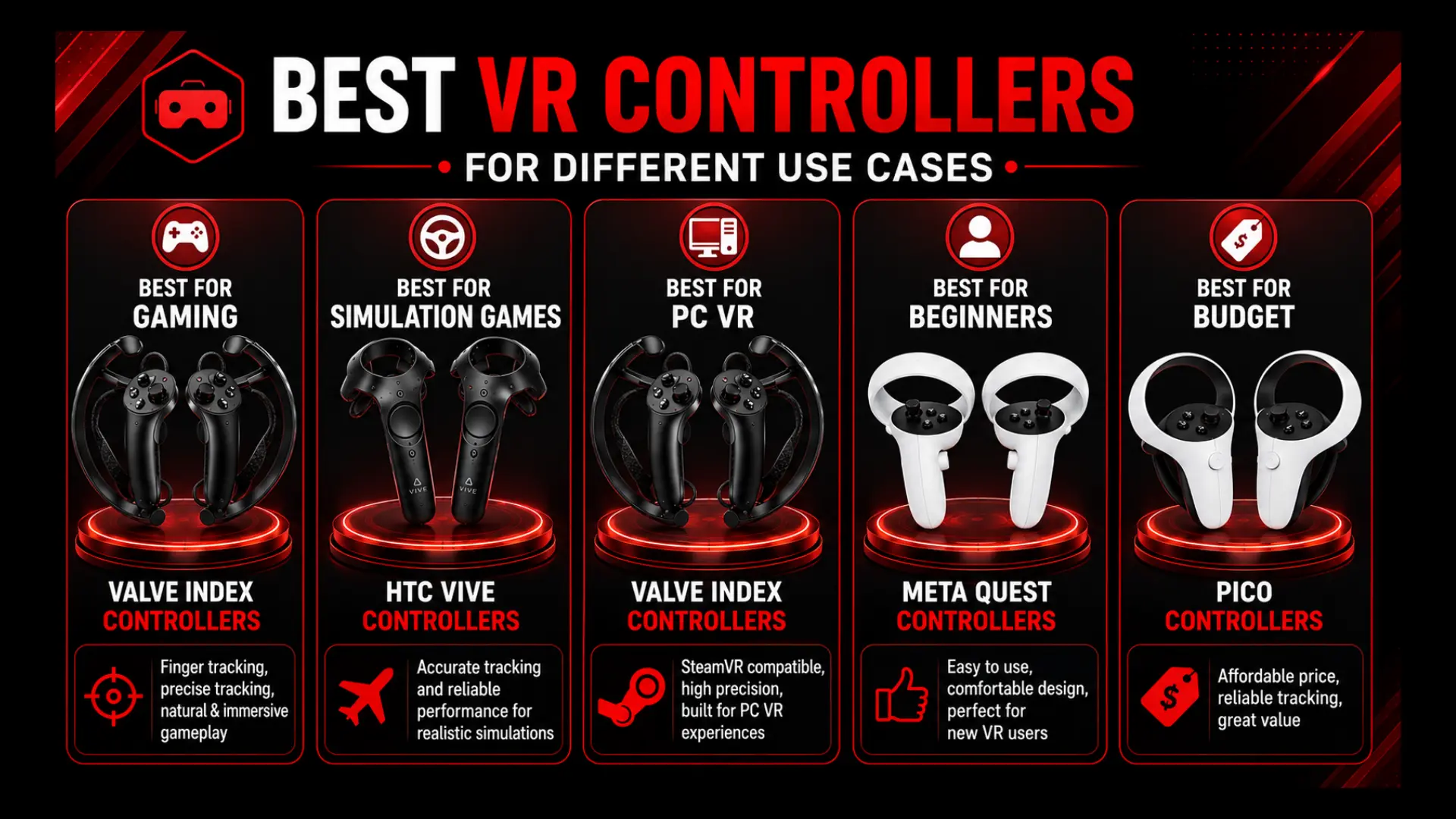
Best VR Controllers for Gaming
One of the great VR controllers for gaming is the Valve Index Controllers. This is because their finger tracking, correct motion tracking, and natural grip controls provide an exceptionally immersive experience. The game feels especially responsive in action, adventure, and competitive VR games.
Best VR Controllers for Simulation Games
The HTC Vive Controllers are famous in simulation environments because of their accurate tracking and SteamVR support. They are extensively applied in VR systems for regular performance, together with flight, using, and commercial simulators, in addition to professional VR programs.
Best VR Controllers for PC VR
Valve Index Controllers continue to be a favorite amongst PC VR players. They are compatible with SteamVR, have high tracking capabilities, and are well built; they can be used for many different virtual reality experiences on the PC.
Best VR Controllers for Beginners
Meta Quest Controllers are perfect for newbies to VR thanks to their hassle-free layout, relaxed feeling, and huge VR content ecosystem. They are designed to be user-friendly and may be utilized by those who aren’t experienced with virtual reality.
Best Cheap VR Controllers
PICO Controllers provide great value for the features they include. They offer dependable tracking, wireless access, and ergonomic design for an affordable price, versus some high-end options.
Common VR Controller Problems and Solutions
There are sometimes glitches in the VR controllers when it comes to connection, tracking, calibration, or battery. Problems can be solved with a few easy troubleshooting methods, and hardware replacement is not often necessary.
VR Controllers Not Working
Controllers might also begin to fail to respond when the battery is low, there are firmware problems, or there are software conflicts. The problem is typically solved by restarting the headset, checking battery status, and updating the firmware.
VR Controllers Not Connecting
The connection problem is typically seen when pairing or when software updates are installed. The controller is commonly re-paired automatically, and the VR system is rebooted, which reconnects the device. If you’ve got any issues with Bluetooth, you may want to disconnect and reconnect the controller.
Tracking Issues
Issues can lead to a loss of accuracy and impact the immersion. This is typically due to a lack of lighting, blocked sensors, reflective surfaces, or positioning of base stations. Making a track transparent to tracking typically enhances performance.
Controller Drift
Controller drift is when movement is detected when the controller isn’t moving. Usually, that is because of calibration issues, worn thumbsticks, or inconsistencies within the sensor readings. Most platforms have options that will help to correct for drift.
Battery Problems
These problems with batteries can lead to shorter playing times, battery charging problems, or sudden controller shutdowns. Older batteries can sometimes be enhanced with the replacement of aging batteries, the use of approved charging accessories, and firmware updates.
Calibration Issues
The problems of calibration impact on the accuracy of tracking and alignment of controllers in virtual environments. Normal operation of the platform’s calibration procedure and the setting of the tracking parameters generally return to accurate positioning and tracking of the movement.
Future of VR Controllers
The technology of the VR controller is progressing towards more natural, precise, and touch interaction. While physical controllers remain accurate for gaming, training, and simulations, the new input systems are opening the door to new ways of interacting with virtual and mixed reality worlds.
Hand Tracking
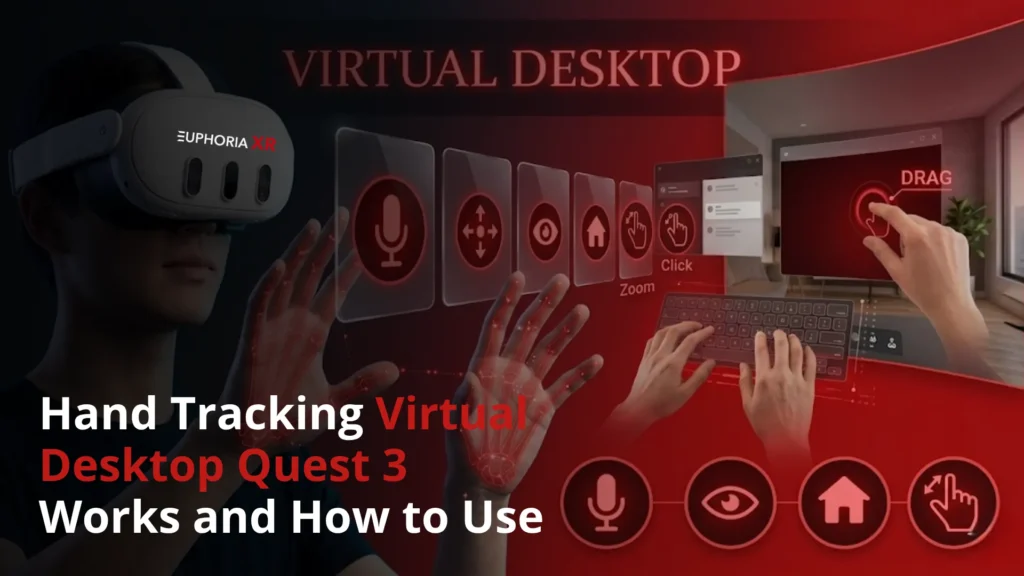
Hand tracking can enable users to interact with VR environments without using physical controllers. It uses headset cameras and monitoring software to detect hand gestures, finger function, and hand motion. It’s great for menus, training applications, social VR, and basic object interaction.
AI-Assisted Interaction
With AI assistance, interactions in VR systems better understand the user’s movement and intent. It can assist human beings to improve gesture recognition, more intelligent interaction with objects, and more natural answers within virtual environments. This will be particularly helpful in training simulations, virtual assistants, and enterprise VR.
Haptic Gloves
Haptic gloves are an input device that can be worn on the hand and can give touch feedback throughout the hand. They can mimic pressure, texture, resistance, and contact with an object. This technology can be used for medical training, industrial simulations, design review, and advanced VR experiences.
Controller-Free VR
Hand tracking, eye tracking, voice inputs, and body tracking of the VR user to minimize reliance on physical controllers are the mechanisms employed in controller-free VR. It is great when users require straightforward interaction but don’t want to use buttons or joysticks.
Mixed Reality Input Devices
Mixed reality input devices enable interaction with both physical and virtual items in a shared region. VR/AR/MR stories are an increasing number of turning into part of larger XR ecosystems, making these devices extra relevant.